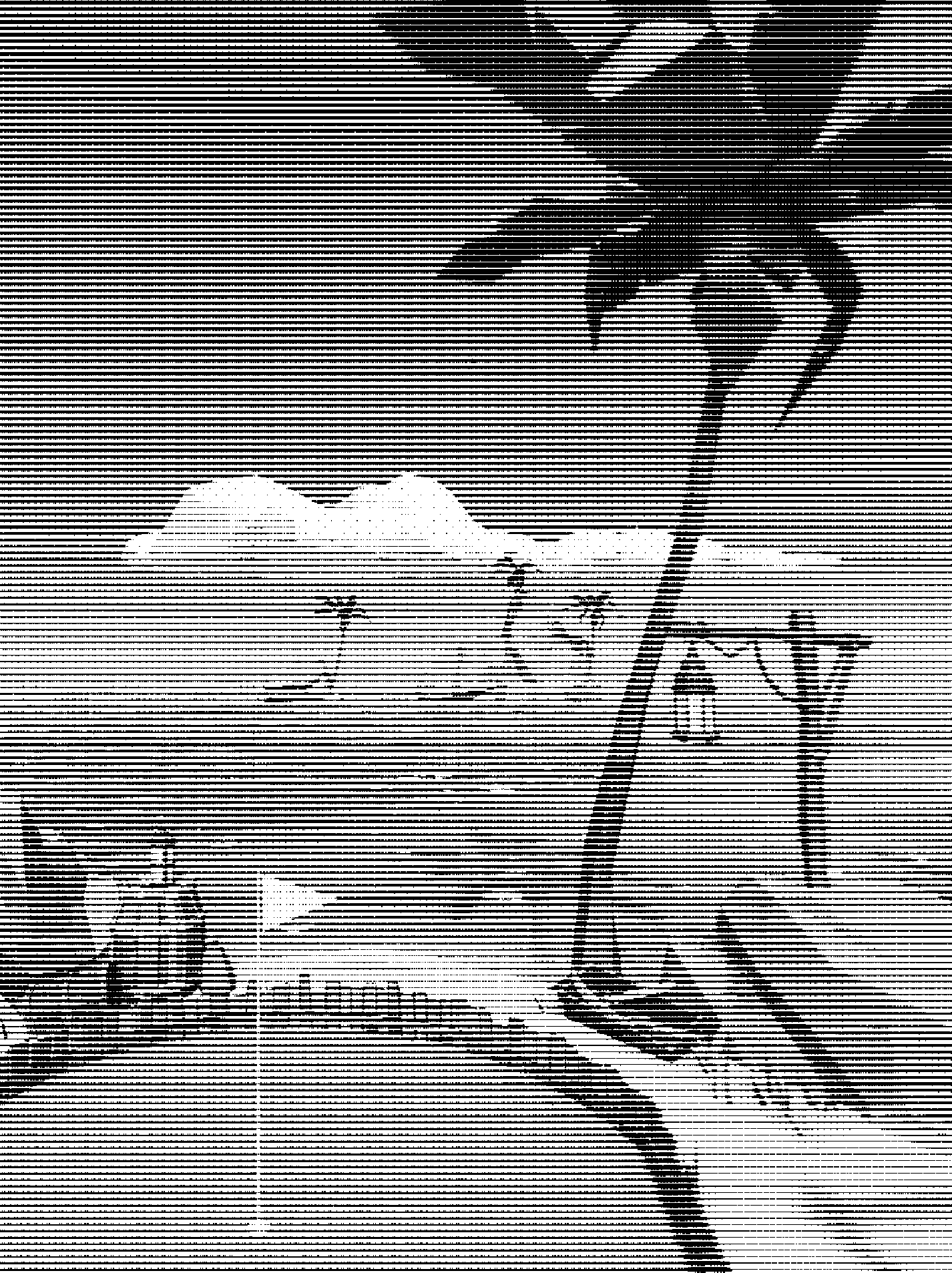
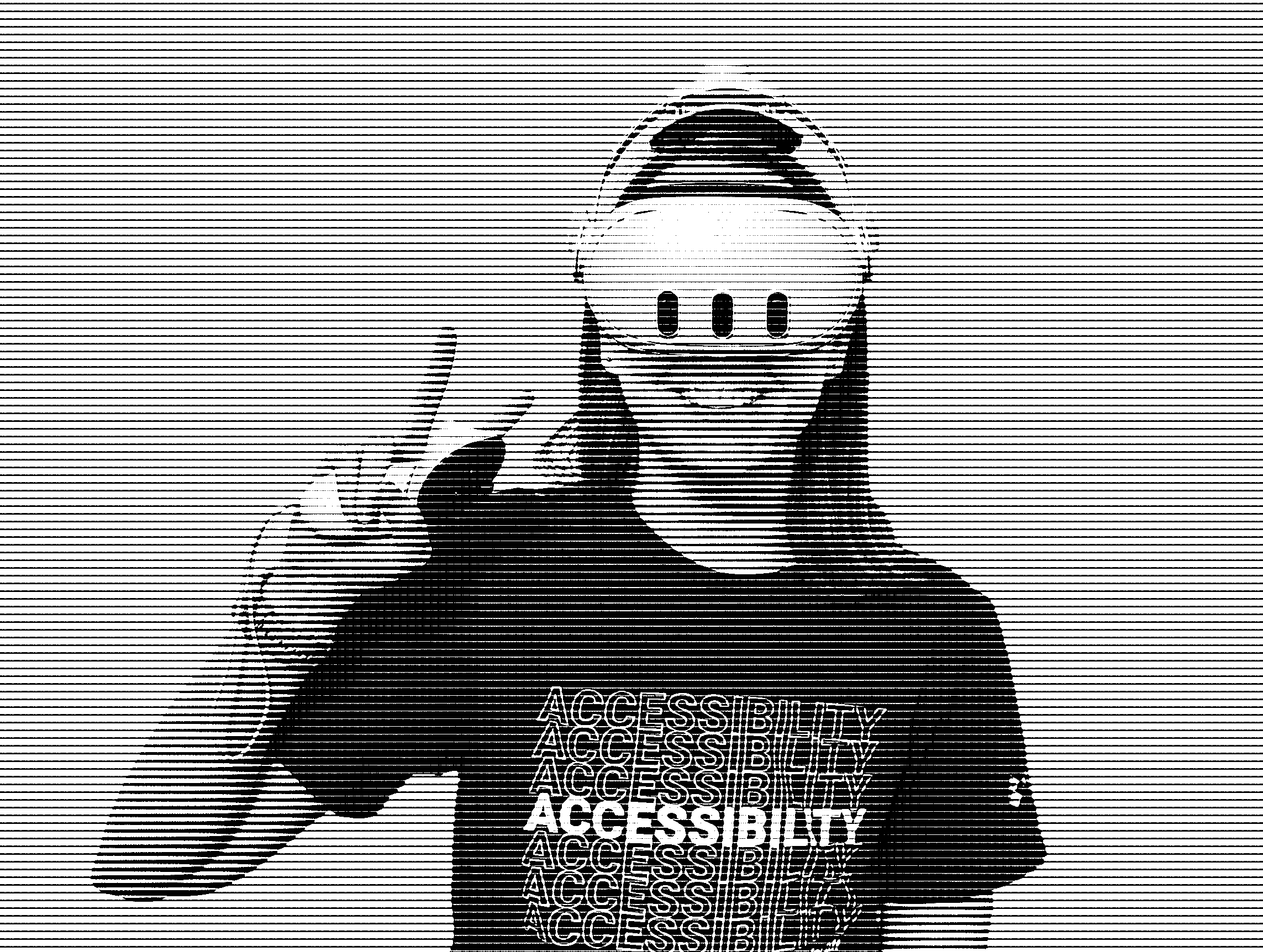
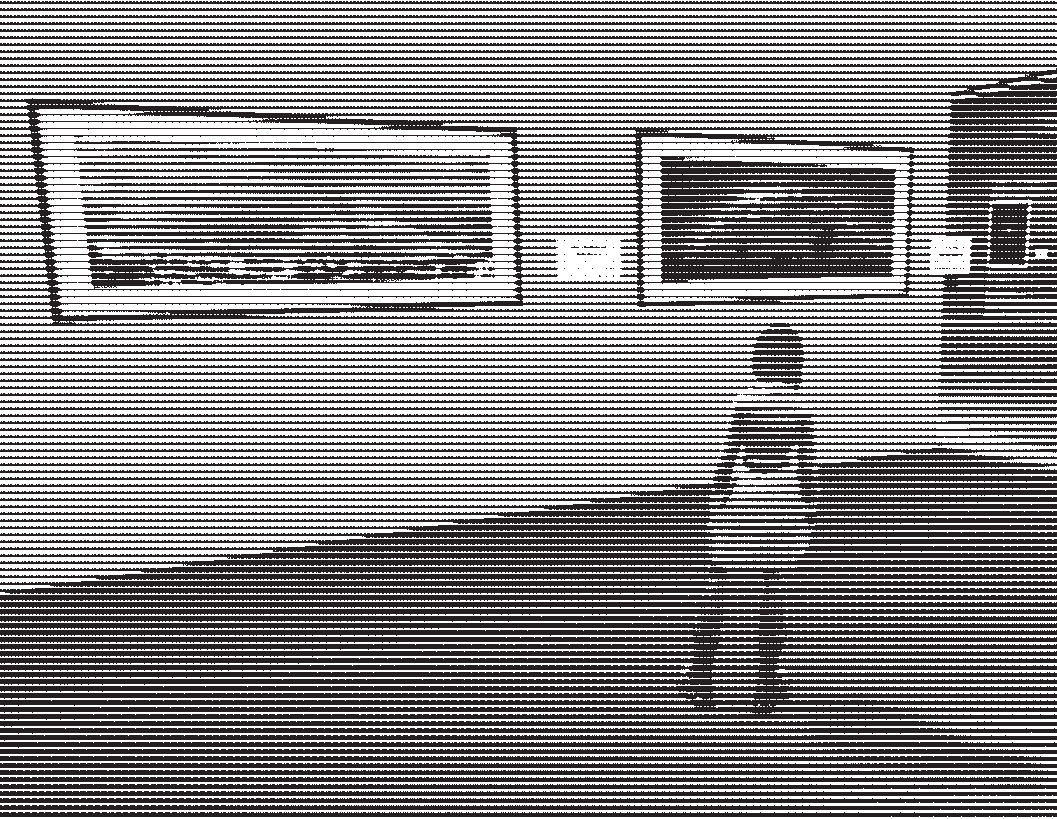
Images modified with linear black & white halftone effect.
Letter from the Author
Why Virtual Reality?
VR could easily be dismissed as a fad. Companies like Meta went all-in on a vague concept they called the
“metaverse,” creating sterile worlds for people to sit around virtual conference tables at work. Apple made
a
heavy, extremely expensive yet fragile headset that barely acknowledges that VR games exist, focusing
instead on
“spatial computing.” VR advertising is slick, corporate, and often about “productivity” or invasive AI
features.
So why make a series of zines about VR?
My name’s ela (she/her), and I’m disabled. My chronic illnesses cause symptoms such as fatigue, brain fog,
and
post-exertional malaise (PEM). I’m also higher risk for COVID. My ability to get out of the house for events
and
socializing was limited and unpredictable even before the pandemic. But COVID turned outings from something
that
risked a flare-up into something that risks worsening my disabilities, maybe permanently. And that’s still
true
in 2024.
As a result I’ve been interested in VR for quite a while, wondering if it could make socializing more
accessible
for me. My partner had an Oculus Quest headset that I tried a few times, but it was too heavy for me and
only
one of us could be in VR at the same time. By the time we started looking seriously at getting into VR
together,
investing in a full VR setup for the PC seemed pricey, especially considering how many of the options were
getting older.
Luckily, Meta announced the Quest 3. Despite our major qualms about the company, the headset itself
seemed
like the most affordable way to get me into VR with my partner. We bought it when it came out in October
2023,
and I’ve been slowly trying things out and experimenting ever since.
I want to know — what games or experiences do I find fun? What features help make things accessible for me as
someone who’s easily fatigued? What’s it like socializing in VR?
Virtual reality is so much more than what tech companies can imagine. It can be DIY and punk
as
hell (like zines), and I’m excited to dive in! This zine series will chronicle my VR journey, and I hope
you’ll
join me for a disabled perspective on virtual reality.
The author!
Hardware
Meta Quest 3
As much as it pains me to say it, the Quest 3 has been a pretty great headset so far. (You just have to
ignore the company that makes it.) It has newer pancake lenses and higher resolution screens which are a
major
improvement in visual clarity over prior versions. It’s more powerful for standalone VR, and with Wi-Fi 6
you
can also stream games from a VR-capable PC with no issues — no USB-C cord to get tangled up in!
There’s also a decent library of Quest-exclusive VR videos and experiences to try (many of them free!). I’ve
enjoyed several of these and plan to try out more and review them in this series. (Check out “Space Explorers” on page 8!) The selection of games and apps in
general seems larger than many other VR stores, although I’m
mostly using my headset to play games on my computer.
There are also accessibility features that I’ve found quite helpful. The first is the ability to adjust your
height when sitting down, which fixes issues with being too low to the ground when playing games. (This is
found
under mobility accessibility in the Quest settings.) Unfortunately you have to turn this feature on every
time
you reset your play area’s boundary, which is easy to forget. I wish that there was a way to indicate that
if
I’ve chosen a “stationary” boundary, that means I’m sitting down and I want this feature to be activated
automatically. I imagine full-time wheelchair users would appreciate streamlining this, too.
Another accessibility feature I will definitely be checking out going forward is the ability to adjust the
horizon so that you can use the headset reclined or lying down. This feature used to exist but was removed,
and
I was very disappointed when I got my headset and saw that it wasn’t included. Certain games and
applications
let you do so (like VRChat and Bigscreen Beta), but others don’t — so a native method is very handy. As I
was
writing this section, however, I learned that it returned in April of this year! I hadn’t realized because
the
option is hidden away in the “Experimental” section of the settings rather than in Accessibility.
Prior to its return, I saw forum posts from many disabled folks who primarily used VR lying down and could no
longer use their headset, so it’s an important feature. I’m a bit worried that it’s still considered
experimental; I really hope that it sticks around and becomes a standard accessibility feature.
But even with these accessibility features, the Quest 3 isn’t without its downsides. For starters, it’s
still quite heavy compared to something like the Bigscreen Beyond. It is more comfortable than the
original Oculus Quest because the slimmer form factor keeps it closer to your face, but I still feel the
weight
on longer play sessions (even with the addition of an aftermarket strap). I don’t think I could use it for
much
longer than a couple hours with my wobbly neck.
And while I jokingly said to ignore the company behind the curtain at the start of this review, it’s not
really
possible. Even though I mostly use my headset connected to my desktop computer, Meta is inescapable. When I
turn
my headset on, I’m greeted with ads for games I will never play, Meta software I can’t uninstall, and
suggestions to follow complete strangers in the social app. I don’t even want to think about the data Meta
has
gleaned about my house from the depth sensor and passthrough cameras. (They say it isn’t stored, but who
really
knows.) Plus, Meta as a company is not a net positive for the world.
I definitely have guilt about buying a Meta headset, but since the world isn’t safe for me, it’s a compromise
I
will have to live with. I look forward to future headsets from less-problematic companies... and maybe to a
time
when I’m no longer isolated at home due to COVID. For the moment, however, the Quest 3 allows me to
experience
so many things I wouldn’t be able to otherwise, and it’s exhilarating.
Not a real Ad
App
Virtual Desktop
There are two ways to play games on a Quest headset:
Use the headset to run them.
Use it connected to a VR-capable PC.
Option #2 allows you to play more graphics-intensive games such as those bought on Steam, and there are a few
ways to do it. Meta has an app that allows for connecting over Wi-Fi or with a USB cable, but I found it
finicky. Steam now has their own free streaming software, which I’m very interested in trying. But when I
first
got into VR, Virtual Desktop was what most folks online recommended.
Virtual Desktop involves two apps, one that you install on your PC and one that you buy and install on your
headset. It allows you to connect to your PC wirelessly and view its screen in a variety of virtual
environments, such as floating in a nebula or sitting an auditorium.
This is great for watching videos, and I’ve used it to mess around on my computer while lying down on my bed.
Combined with Talon, voice command software I have for arm pain flareups, I can even chat with people in
messaging apps via speech-to-text using the Quest 3 microphone.
Virtual Desktop truly shines, however, when you load into a VR game. My desktop computer is in an office
downstairs, but that doesn’t matter! I’ve played VRChat sitting on the living room couch, and I regularly
play
Walkabout Mini Golf upstairs in my bedroom. (See page 6 for more info!)
This freedom is wonderful; as long as you have a fast and stable Wi-Fi connection, you’re no longer tethered
to
your PC with a USB cable, stumbling over it if you try to walk around.
(Fast Wi-Fi is a pretty big caveat, though. My partner and I invested in a router capable of Wi-Fi 6, and
both of
our computers connect to it via Ethernet cables.)
There is the occasional hiccup. Once or twice I’ve tried to connect from my headset only to be told my PC
can’t
be found. (Restarting the desktop app seemed to help fix that.) Sometimes things stutter a bit over Wi-Fi.
And
it could be that if I was used to tethered VR, I might notice the latency more.
Even so, I highly recommend Virtual Desktop! The convenience is worth any minor flaws, and my VR sessions are
USB
cord-free!
Social Game
Walkabout Mini Golf
My favorite VR game so far is mini golf, which caught me totally by surprise!
Almost every Friday, my spouse, brother-in-law, and I hop into VR, boot up Walkabout, and travel to a distant
place — a Japanese garden with cherry blossom trees, a tropical island with pirate treasure, or a space
station
orbiting Saturn.
The graphics of Walkabout Mini Golf aren’t particularly realistic. They’re what one might call “low-poly,”
usually with flat colors and relatively simple, angular shapes. But they don’t need to be realistic; the
sense
of place the developers have created is amazing. When I’m standing on a course, cliffs towering above me and
birds wheeling in the bright blue sky, I feel like I’m actually there. The mini golf courses wind through
the
environments — paths take you from one hole to the next, often with vertiginous drops a step or two away.
Waterfalls roar in the distance, and a themed tune plays in your ear.
“Cherry Blossom” course from Walkabout Mini Golf (prior to
remaster).
As someone who rarely leaves my house except for doctor appointments, it’s honestly magical.
The gameplay is also fun, of course; it’s very satisfying to swing your club and watch the ball wing its way
to
the hole. At times it can be infuriating (in the way that mini golf in-person can be!). But the missed shots
are
made up for by the thrill of a rare hole-in-one, the fun of attempting trick shots, and the camaraderie of
playing with friends.
On the accessibility side of things, playing mini golf in my bedroom is definitely less taxing for me than
riding
in a car to a local course. The developers say it’s possible to play sitting down, but I opt for a hybrid
approach; I stand up for my turn, and I sit while other players take their turn and when I’m navigating the
course. This helps keep things less tiring, although I still have to listen to my body; I’ve had to skip a
couple Fridays because I was feeling too sick to play or recovering from surgery.
Another feature I appreciate is the option to play just half the course (the front or back 9). With three
people
we can usually finish 9 holes in about an hour, with plenty of time to mess around, check out the amazing
environment, and look for the collectible hidden ball on each hole. When we first started playing, I did try
to
play 18 holes in one session, but I was utterly exhausted afterwards, so I’m very glad there’s an easy way
to
play shorter games!
Walkabout Mini Golf also seems extremely re-playable. The base game comes with 8 courses, each with a daytime
version and a harder nighttime version that you can unlock. For me, that means 32 weeks of golf before I
have to
pay for downloadable content (DLC) — but the DLC courses look super cool and are reasonably priced, so I’m
actually looking forward to that!
The developers also seem to be regularly adding new DLC levels and free game modes, so I’m excited to have
even
more fun environments to golf in!
All told, Walkabout Mini Golf manages to a lot of the things I’m looking for in a VR game. It’s social, which
allows me to hang out with people in totally different states (or countries!), helping combat my COVID
isolation. It’s also relatively feasible for me to play despite my fatigue. And perhaps most importantly, it
makes me feel like I’m going somewhere new. For an hour every week, I can travel to beautiful worlds from
the
comfort of my bedroom. Bon voyage!
360 Video
Space Explorers
At first you hang in a dark and endless void. But then a faint arc of light forms in front of you. It
brightens
and lengthens, and at its center a bright orange ball appears. This fiery ball expands and rises above the
arc,
turning into a white starburst. Light spreads below the arc, illuminating what you realize are clouds and
the
ocean. You turn your head, and behind you the solar panels and modules of the International Space Station
(ISS) catch the new light.
This is a sunrise aboard the ISS, orbiting Earth. And you can experience it with a VR headset!
Hidden in the TV app of Meta headsets are spectacular 360 videos by Felix and Paul Studios called Space Explorers. In the Blue Marble Trilogy you watch a sunrise and 15 to 20 minutes of the Earth
turning
below you; in The ISS Experience series you follow crew around the space station, watching them
in
their day-to-day life and listening to them talk about being astronauts. And since the videos are fully
immersive, you can look all around you as they play in 3D — even behind you!
It’s hard to explain why these videos feel so special to me, but I find them intensely emotional and
meaningful;
I ration them, watching only one or two at a time so that I don’t burn through them.
The first one I watched was “Blue Marble Orbit 1.” From the start I marveled at the beauty, but it
was
partway through the video when it fully clicked for me. As gentle music played, I watched the clouds. I was
a
bit disappointed I couldn’t see more of the land or coastlines, but suddenly I realized that I could see the
texture of the clouds in 3D. Some of them were puffy, extending further up into the atmosphere
than
their surroundings. In that moment it felt like I was actually looking at the Earth below me, not just an
image
of it. I burst into tears.
Many astronauts describe the Overview Effect: experiencing awe, strong emotions, and a connection to humanity
upon seeing the Earth. I know I’ll never go to space, but I think these videos may have let me feel a small
portion of that, if only for a few minutes.
Who knows whether you’d feel the same way; maybe I’m a weirdo! But if you ever have a chance to try a Quest
headset, check out the TV app and search for Space Explorers.
It might just make you cry.
“Astronaut Bruce McCandless Performs the First Untethered Spacewalk,” NASA.
Event
Smartphone Astrophotography Exhibit
Towards the end of May I saw a post on Mastodon about an upcoming virtual photography exhibit. It was part of
“Dark and Quiet Skies,” an outreach project about needing to protect our skies against light pollution from
cities and radio interference from satellites. Put on by the International Astronomical Union (IAU) Office
for
Astronomy Outreach (OAO), it showcased the winners and honorable mentions in the smartphone category of an
astrophotography competition.
I wouldn’t say that I’m super knowledgeable about astronomy, but I did want to be an astronomer when I was a
kid
and I’ve kept that enthusiasm. I’ve dabbled with astrophotography, albeit with limited success (it’s hard!).
During the recent solar storm, I told everyone I knew about the auroras, which even helped prompt a few
folks to
go outside to see them! I also enjoy visiting a nearby dark sky park with my spouse; during our last trip we
caught the peak of the Perseid meteor shower, which was stunning against the backdrop of the Milky Way.
Needless to say, this exhibit was already my jam, but what really caught my attention was the possibility to
attend it in VR. The IAU OAO worked with The Future of Meetings to create a virtual art gallery in an app
called
Spatial that people could visit using their phone, their computer, or their Quest headset.
I miss going to galleries and museums so much. I didn’t get to go frequently before the pandemic because it
was
very tiring, but now that I have a power wheelchair I’m certain I could enjoy them more often. But the risk
of
COVID further damaging my health is too great. It would be a great irony to get sicker from going to see
art,
sending me back to a state where art and media are too cognitively draining to experience.
So I was very excited. In preparation I tested out the Spatial app a few days before the event. It seems to
be a
social/event app, with the ability to make your own spaces and invite others. I made an account and poked
around, getting used to the interface.
I must admit, compared to other games and similar programs, the graphics of Spatial in VR left something to
be
desired, even compared to the Spatial smartphone app. It also didn’t seem to integrate well with VR — in
order
to join a specific space with a link, I had to first open it on desktop or mobile to save it to my account,
then
open it in VR from the “Recent” tab. But it was doable!
On the day I was quite nervous; I honestly don’t mingle much with strangers anymore. But I hopped into the
event
space and began to look at the beautiful photographs while I waited for my partner to join me.
The author viewing two photographs at the exhibit, 24 Hours of
Rainbow by Fabrizio Guasconi (left)
and Milky Way Over H.E.S.S Observatory by Jianfeng Dai.
Not long after I arrived, the Director of IAU OAO, Dr. Kelly Blumenthal, introduced the exhibition. Then
several
of the photographers spoke a little about their pieces featured on the gallery walls. When the introduction
concluded folks began to circulate again.
It was amazing to feel like I was at a real event, to move through the space from one photograph to the next
and
to walk up to conversations with photographers and listen in. I even spoke to several people, including the
author of the post that had sent me on this journey!
In some ways, the experience was almost better than an in-person exhibition. I didn’t become exhausted
traveling
to and from the gallery, and I could sit down the whole time without worrying about wheelchair
accessibility. I
was also able to mingle with people from all over the planet, such as Japan (where IAU OAO is based), China,
Australia, and the US.
It was such a fun experience, and I can’t wait to attend similar events in the future — I’ll be on the
lookout
for more virtual exhibitions!
Accessory
Quest 3 Head Strap
One of the things you realize after using the Quest 3 for a little while is that the head strap it comes with
is
pretty uncomfortable. It seems fine at first, but the pressure against your face slowly increases the longer
you
wear it.
When I searched for reviews of head straps, I encountered 3 common pieces of wisdom:
Yes, it’s worth buying one.
The official head straps, however, aren’t worth the price.
A head strap with a battery is best because it helps create a counterweight (and prolongs battery life).
The only one I wasn’t sure about was number 3 — a counterweight sounds useful, but I experimented with
makeshift
weights and found that lighter is better for my fatigue. I also don’t have the stamina for longer play
sessions,
so an extra battery isn’t as crucial; if I need to I can easily plug it in to charge when I’m sitting down to
play.
A few brands get mentioned often, like KIWI Design and BOBOVR, and there are many straps with similar designs
from letter-soup brands on Amazon. I felt stuck trying to choose one.
In the end I opted for a DESTEK head strap recommended by an online friend. I’m not sure how it compares to
the
recommended ones, but it was half-off. The two straps ratchet tighter with knobs, and the top strap goes
from
one side of my head to the other, rather than front-to-back like the original. This helps relieve some of
the
pressure on my face, although it can be tricky getting it situated. (Perhaps I’ll try a different brand in
the
future?)
In the end, I think the first bit of crowd wisdom is the most important. What works for you, your play style,
and
even the shape of your head might be different than me. But assuming the original head strap isn’t working
for
you, it’s worth trying something different!