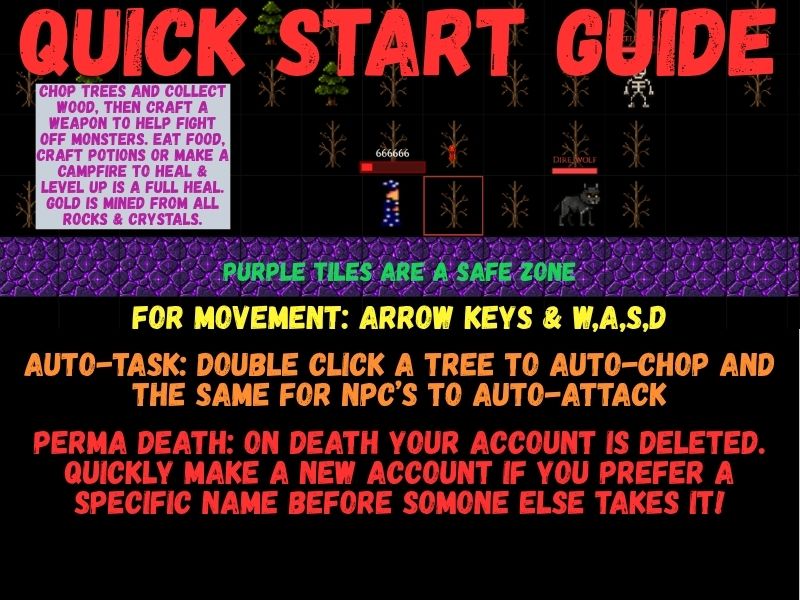
Welcome
Shadowrealm is a shared online world where every player shares one persistent map. Explore the wilderness, gather resources, craft gear, build and defend your home, team up in guilds, and fight other players — everything you do happens live with everyone else online.
Controls
- Move — W A S D or the Arrow keys.
- Select — Left-click any tile, object, creature, or player. The Selected panel opens on the right with everything you can do with it.
- Attack — With a target selected, press ATTACK in the Selected panel. Melee weapons swing as you close in; bows, spears, scythes, and staffs strike from their own reach. There is a short cooldown between swings.
- Zoom — Press + or −.
- Clear selection — Press Escape. This also stops your current attack.
- Chat — Press Enter, type your message, press Enter again to send.
- Inventory, BUILD, CRAFT, and OPTIONS — buttons along the bottom of the screen.
Chat
Five tabs sit above the chat box:
- GLOBAL — talk to everyone online.
- GUILD — messages only your guild sees.
- LOCAL — nearby players only; your message appears in a chat bubble above your head for 4 seconds.
- SYSTEM — game messages, notices, and errors.
- PERSONAL — private whispers.
Commands you can type in chat:
- /help — list the available commands.
- /who or /online — see who is playing right now.
- /guild help — guild commands (create, invite, join, and more).
- /stuck — teleport to the spawn zone in 30 seconds; moving or taking damage cancels it.
- /w name message or @name message — send a private message to one player.
Character, Level, and Stats
- Your HP, EXP, level, Attack, and Defense are shown in the panel at the top-left, along with your gold and guild.
- Attack = your level plus your weapon's bonus (the level contribution caps at 100).
- Defense = your level plus bonuses from every equipped item (also capped at 100 from level). Defense subtracts flat from each incoming hit, and a hit always gets through for at least 1 damage.
- Earn EXP through your actions in the world to level up and grow stronger.
Inventory and Equipment
- Click an inventory slot to see the item and what you can do with it — EQUIP or UNEQUIP gear, EAT food, DRINK potions, DESTROY what you no longer need, or CRAFT at a station.
- The equipment slots are WEAPON, SHIELD, HELMET, CHEST, and SPECIAL. Only one item fits in a slot — unequip the old item before equipping a new one.
- Two-handed weapons (bows, staffs, spears, scythes, and any weapon with extra reach) cannot be worn together with a shield.
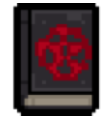
- The SPECIAL slot holds one grimoire book at a time — one book fills the slot, and books never stack.
- Ammunition — bows fire arrows and staffs fire crystals; ammunition is used up from your inventory as you shoot.
- Potions — drink them for temporary effects; the remaining time shows at the top-left of the screen.
- Selecting any player shows every item they have equipped, so you can inspect their gear before a fight.
Gathering and Crafting
- Click a tree or rock and choose CHOP or MINE; bushes can be GATHERed.
- The CRAFT button opens general recipes that need no station.
- Station recipes are made at their station: the Workbench (tools, weapons, shields), the Cauldron (potions and the Golden Bomb), and the Grimoire Table (spell books). Click the station next to you and choose CRAFT.
- Every recipe lists its cost; you must have all of the materials (and gold, where listed) in your inventory to craft it.
Building and Repair
- The BUILD button opens everything you can build: wood and stone walls, personal doors, toll doors, campfires, hedge huts, teleportation crystals, bone tiles, sawdust trails, wooden signs, guild banners, and wall talismans.
- Click one of your structures and press OPTIONS to REPAIR it or DESTROY it. Inside a hedge hut you own you also get SAFE LOGOUT, REPAIR ALL WITH GOLD, and the tile repair/destroy buttons.
- Buildings decay slowly over time — repair them to keep them standing.
- Some walls can only be built where there is free space, and toll doors collect gold from anyone other than the owner who passes through.
Combat
- Every weapon has its own reach: daggers and clubs 1 tile, spears and scythes 2 tiles, bows and staffs 3 to 5 tiles.
- Ranged attacks need a clear line of sight. Walls and buildings block it — but dead trees do not: arrows, spells, and guardian shots fly straight through them.
- Shields can block — a blocked hit is completely negated and shows BLOCKED over your head.
- The Golden Bomb (crafted in the Cauldron for 100 gold) is thrown up to 5 tiles and deals a flat 5000 damage — but only to buildings, doors, stations, signs, campfires, bone tiles, sawdust trails, guild banners, and talismans. It can never hurt players, creatures, chests, or resources.
- Potions can double your attack or defense for a short time.
Players vs. Players
- You can fight other players across the wilderness.
- You cannot attack from inside the spawn zone, and cannot attack anyone standing in it — the spawn zone is safe.
- You cannot attack, damage, or Fire Blast players in your own guild — the game refuses and plays an error sound.
- On death you leave a death chest at that spot containing everything you were carrying. It disappears after 60 seconds — hurry back for your gear.
- Characters of level 10 or higher also drop a Skull and a Death Scroll in the chest.
Guilds
- Open the GUILD button in OPTIONS to create a guild, join one you were invited to, leave your guild, or read guild info. Commands like /guild create name, /guild invite name, and /guild join name work too.
- Every member can pass through guild doors, build and repair guild structures, and place talismans on guild stone walls.
- Destroying guild structures requires the Captain rank or higher.
- Your guild banner's colors, crest symbol, and message are customized when the guild is created; the message can be updated later, but the design itself is locked in forever.
- Guild members share a guild chat channel and cannot harm each other.
Wall Talismans
- Talismans are built on wood walls, stone walls, and guild stone walls only — nothing else accepts one, and each wall holds only one talisman.
- Wall Talisman — 100,000 HP, costs 30 Bone + 10 Wood.
- Guardian Wall Talisman — 1,000,000 HP, costs 100 Stone. It does not move, and it shoots back at anyone who attacks it or its owner's buildings within 6 tiles.
- A talisman shields the wall beneath it: you must destroy the talisman first before the wall can be attacked.
- Examining a talisman also repairs the wall underneath. Talismans decay slowly and can be repaired like any structure.
Grimoire Books
- Craft each book at the Grimoire Table for 25 Death Scrolls.
- Books go in the SPECIAL slot — only one book can be equipped at a time, and the equipped book shows a button at the bottom-left of the map.
- Fire Blast — select your target first, then press the button: 100 damage to players, creatures, or structures within 5 tiles. 30 second cooldown.
- Immortal Shield — press the button to raise a shield that completely negates all attacks from players, NPCs, and guardians for 30 seconds. 5 minute cooldown, which keeps counting even if you swap books.
Options Menu
- CHANGE CHARACTER — switch your character's appearance.
- GUILD — manage your guild and banner.
- LEADERBOARD — the top players of the realm.
- PLAYER MANUAL — this guide.
- SUPPORT — open the game's Patreon page in a new tab.
- STUCK — teleport to the spawn zone in 30 seconds (moving or taking damage cancels it).
- LOG OUT — instant when you stand next to a hedge hut you own or inside the spawn zone; anywhere else it takes a vulnerable 30 seconds and taking damage interrupts it.
- After 1 hour of standing still you are logged out automatically.
What You Cannot Do
- You cannot attack, damage, or Fire Blast players in your own guild — an error sound plays and nothing happens.
- You cannot attack from inside the spawn zone or hit anyone standing in it.
- You cannot equip two items in the same slot, or wear a shield with a two-handed weapon.
- You cannot craft or build without all of the required materials and gold.
- You cannot put two talismans on one wall, or build a talisman on anything other than a wood, stone, or guild stone wall.
- You cannot hurt players, creatures, chests, or resources with the Golden Bomb — structures only.
- You cannot skip the 30 second logout timer away from safety; leaving early means cancelling it and staying in the world.